
Every achievement diary, task by task.
Track all 12 regions and 492 tasks. Progress syncs from RuneLite, or tick tasks off yourself, and every task shows what you need before you set off.
- 4.8 out of 5 (118 App Store ratings) (opens in a new tab)
- 6,000+ downloads
See where you stand
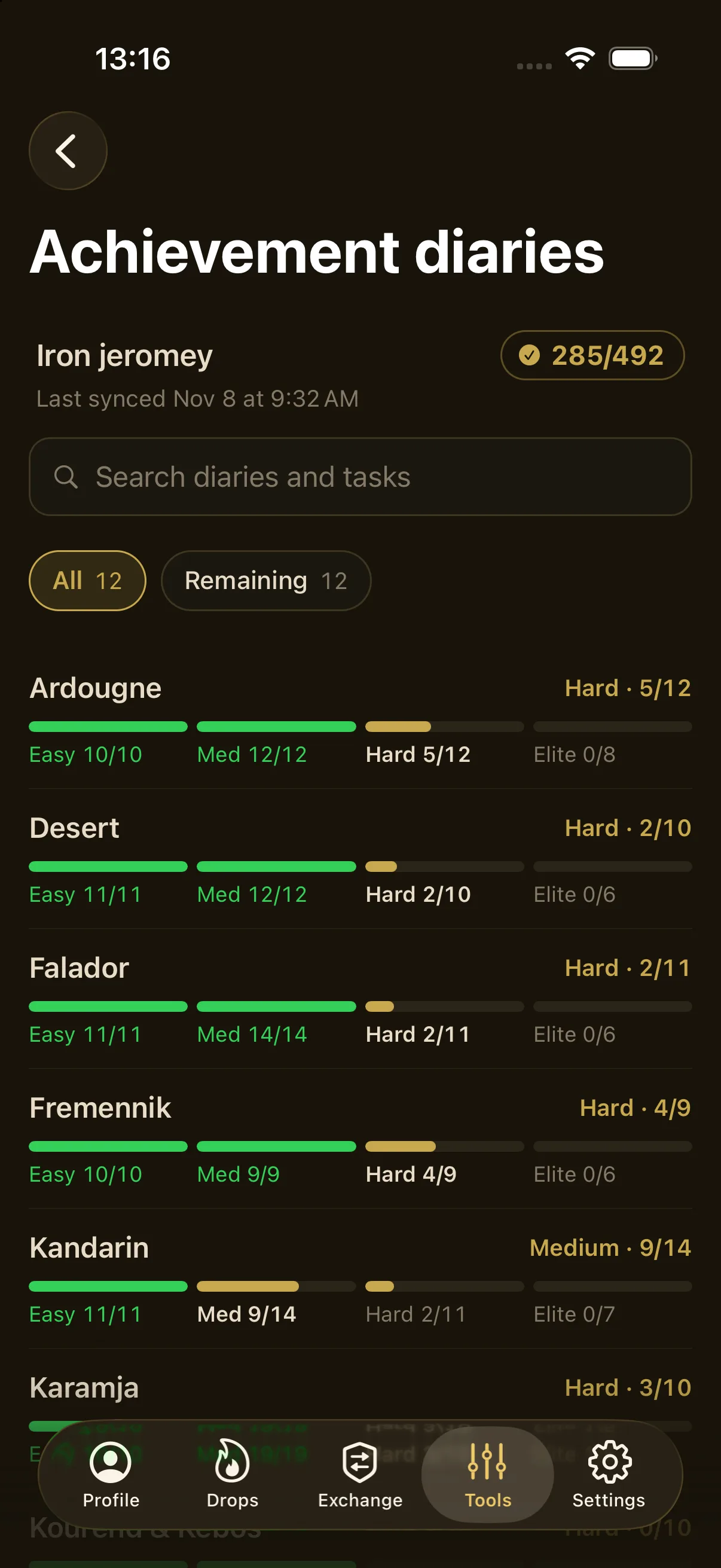
The overview shows your Easy, Medium, Hard and Elite progress for every region, and highlights the tier you’re working on.
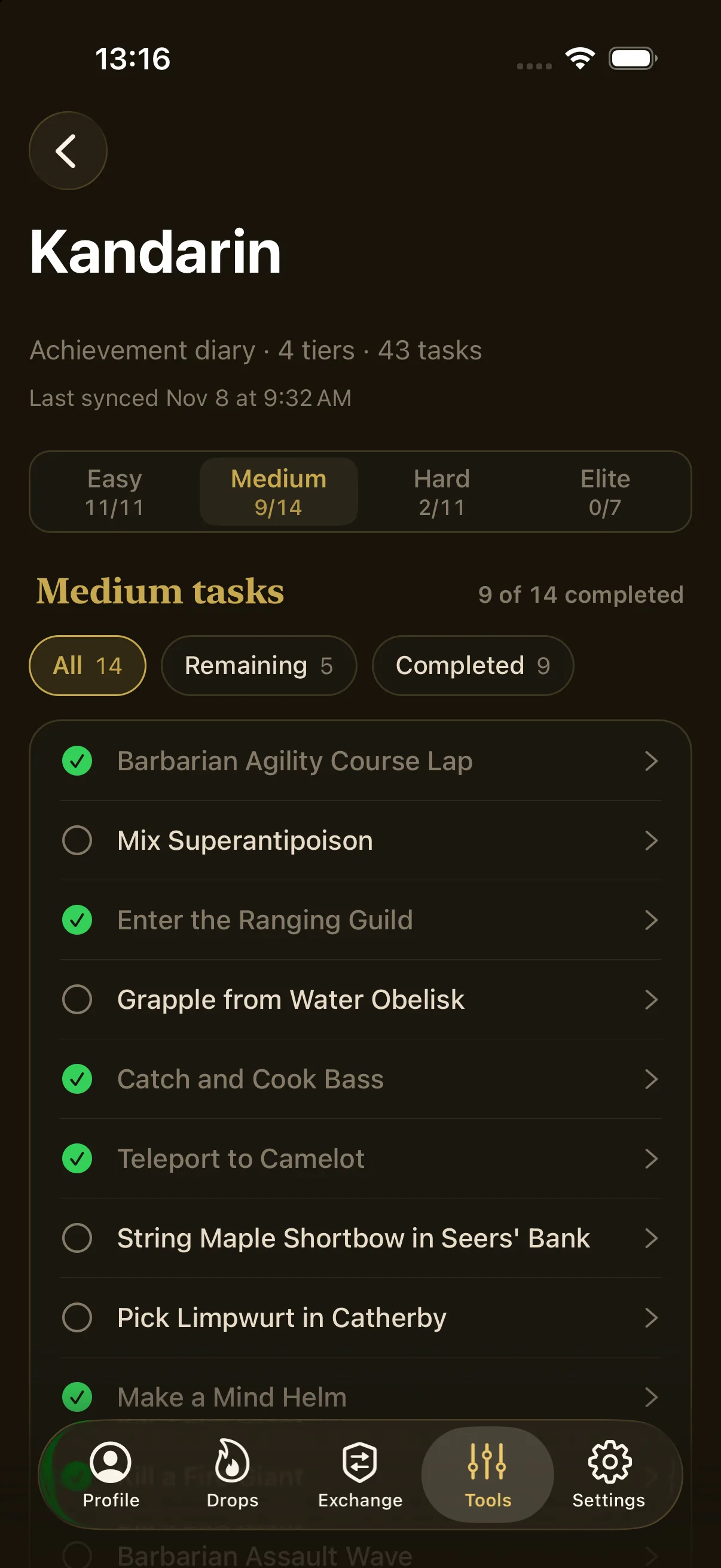
Open a region to pick a tier and work through its checklist. Search finds any diary or task by name.
- All 12 regions, 48 tiers and 492 tasks.
- Filter each list to the tasks you have left.
- Your total sits on the Tools tab, with a progress bar.
Know what each task needs
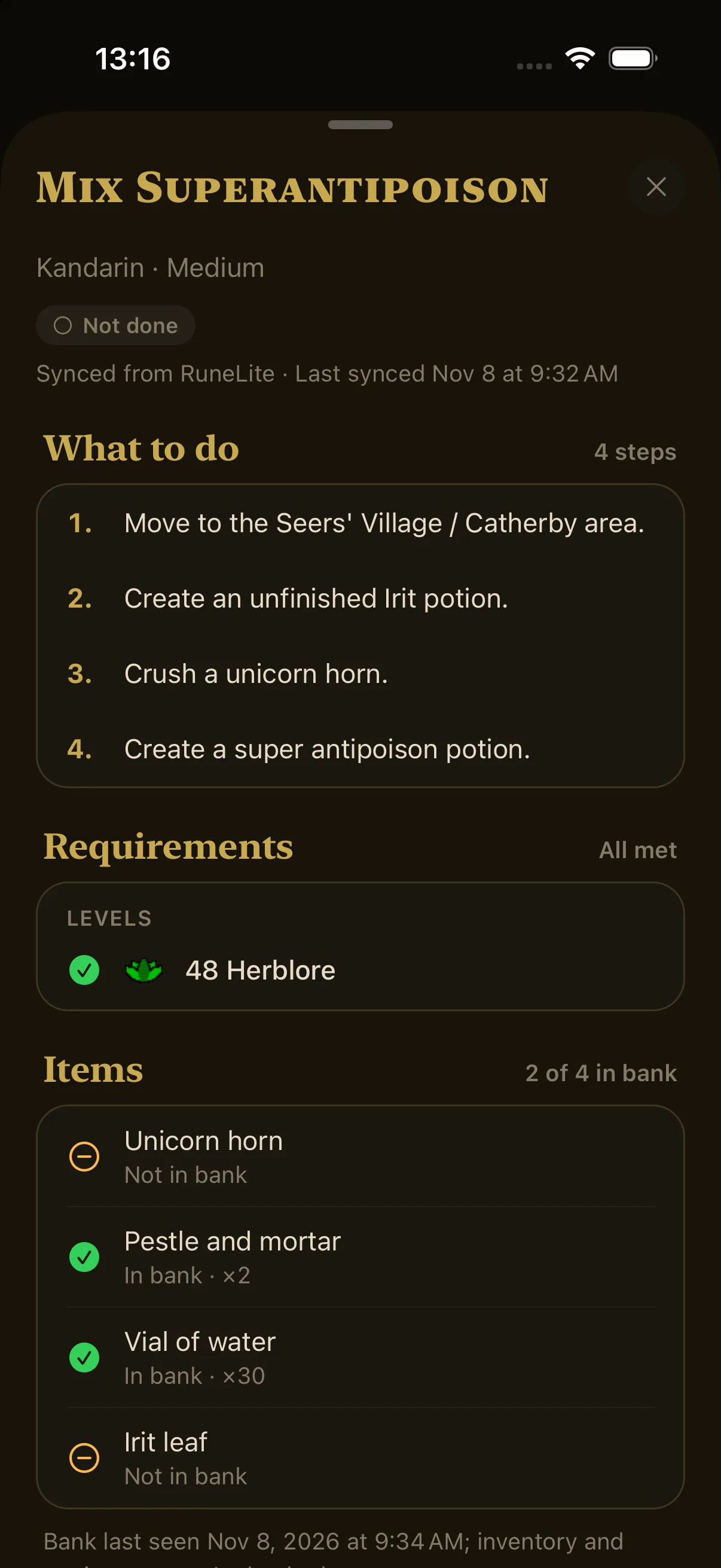
Tap a task for its steps and its level, quest and item requirements. RuneGlass checks each one against your character, so you see what’s met and how much XP is left to go.
Items are checked against your synced bank, with how many you have. A button opens the task’s OSRS Wiki guide.
- Levels checked against your skills.
- Quests checked against your quest progress.
- Items checked against your bank.
- Unlocks such as Museum Kudos, checked with values from RuneLite.
Two ways to track
Synced from RuneLite
With the RuneGlass plugin on, tasks are ticked off as you complete them in game. RuneGlass shows when your diaries last synced.
Ticked off yourself
Playing on the official mobile app? Mark each task Done or Not done, and RuneGlass keeps your progress for that character.
Start tracking diaries
Get RuneGlass
Download RuneGlass, sign in and link your character.
Turn on sync in RuneLite
Install the RuneGlass plugin from the Plugin Hub, turn on Enable RuneGlass sync and pair it with a code.
Open in Plugin Hub (opens in a new tab)Open Achievement diaries
Log in to the game, then open Tools › Achievement diaries in RuneGlass to see your progress.
Achievement diary questions
Which diaries does RuneGlass cover?
All 12: Ardougne, Desert, Falador, Fremennik, Kandarin, Karamja, Kourend & Kebos, Lumbridge & Draynor, Morytania, Varrock, Western Provinces and Wilderness. That’s 48 tiers and 492 tasks.
Do I need RuneLite?
RuneLite ticks tasks off for you as you play. Without it, you mark tasks Done or Not done yourself.
How does RuneGlass know what I’m missing?
It compares each task’s requirements with your skills, your synced quest progress and the items in your synced bank.
Is my RuneScape account safe?
The RuneGlass plugin is on RuneLite’s Plugin Hub. It never sees your RuneScape login, never plays for you, and only syncs when you switch it on.
More in RuneGlass
Farming timers
Crop and bird house timers with ready alerts and widgets.
Drop tracker
Valuable drops saved as you play, with drop rates and luck.
RuneLite sync
Your skills, XP, drops, quests, bank, diaries and timers, synced as you play.
Your bank
Browse, search and sort your bank from your phone.
DPS calculator
Pick a target, build a loadout or find your best gear from your bank.

Your whole account, in your pocket.
Download on the App Store (opens in a new tab)- 4.8 out of 5 (118 App Store ratings) (opens in a new tab)
- 6,000+ downloads
Get RuneGlass updates.
 Made by Jeroen Breevoort, a long-time OSRS player.