
Your bank, in your pocket.
Browse, search and sort your bank from your phone. RuneGlass saves it each time you open your bank in RuneLite, so it’s there when you’re planning your next trip.
- 4.8 out of 5 (118 App Store ratings) (opens in a new tab)
- 6,000+ downloads
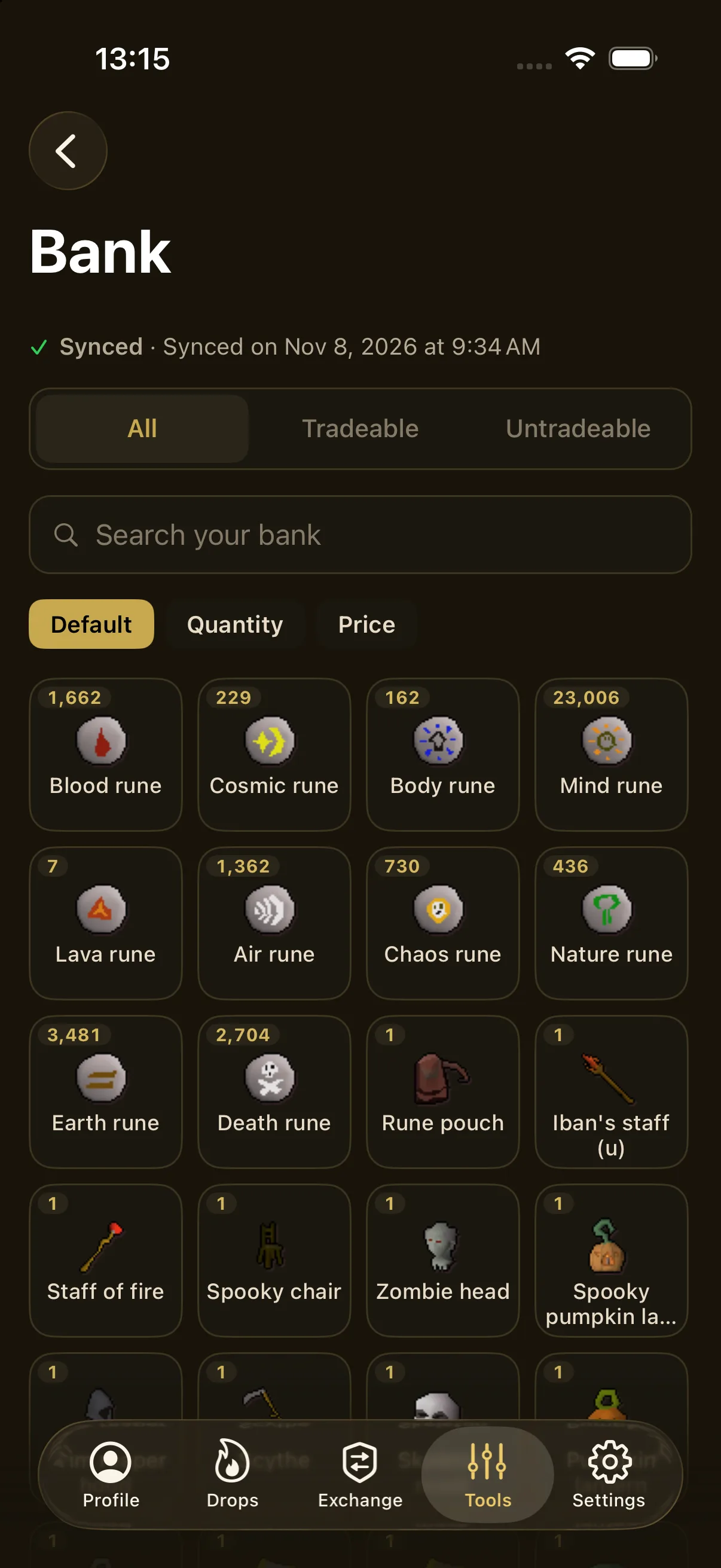
Find anything in seconds
Search
Type a name to jump straight to an item, with a count of how many stacks match.
Filter
Show everything, or only your tradeable or untradeable items.
Sort
Keep your own bank order, or sort by quantity or by the total value of each stack.
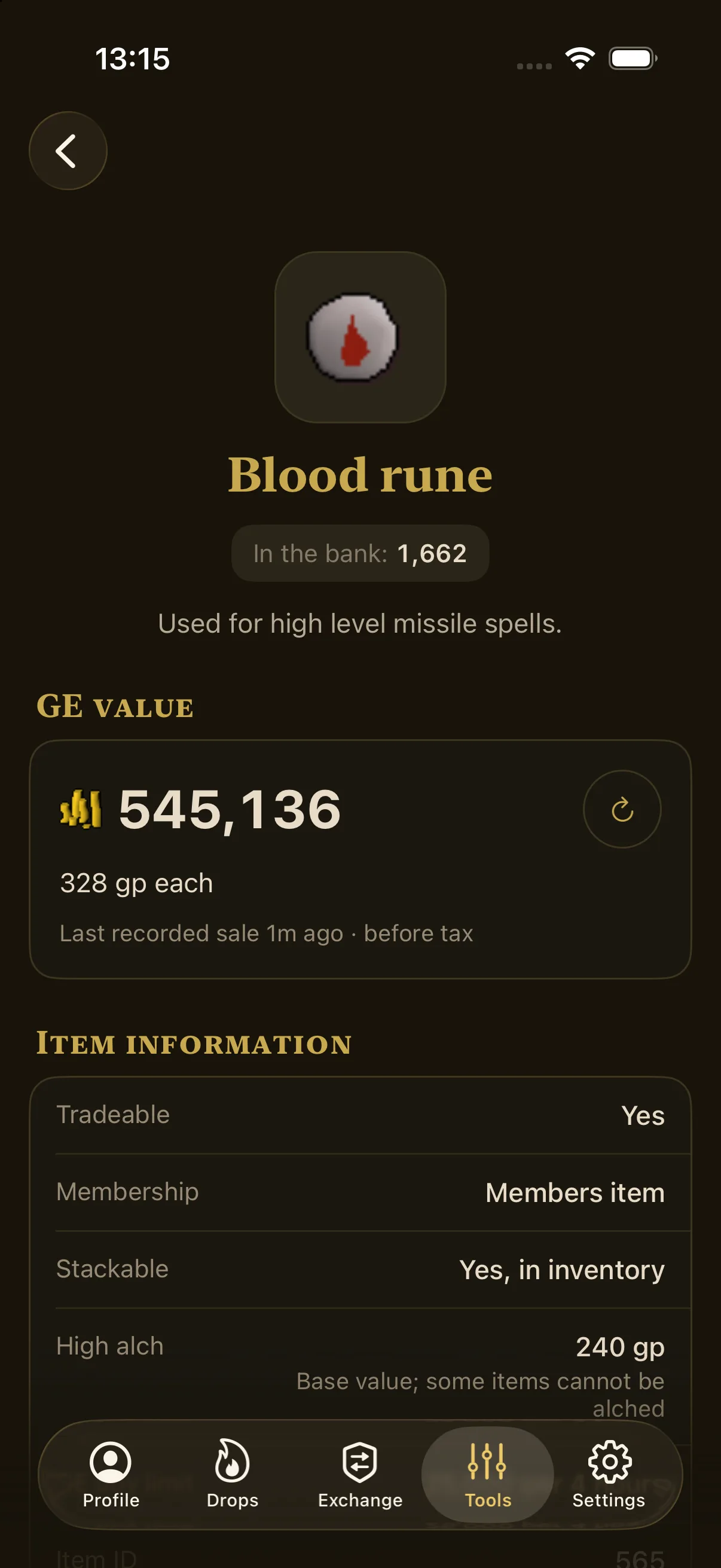
Know what it’s worth
Tap an item to see how many you have, what the stack is worth on the Grand Exchange and the price of each one, from the latest OSRS Wiki prices.
Item information sits below: whether it’s tradeable, a members item or stackable, and its High Alchemy value.
- GE value for the whole stack and for each item.
- When the price was last recorded, with a refresh button.
- The date and time your bank was last saved, at the top of the screen.
Your bank does more
Once your bank is synced, the rest of RuneGlass uses it.
Achievement diaries
Each diary task shows which of the items it needs are already in your bank, and how many you have.
DPS calculator
Find best gear searches your bank for the strongest setup against any target.
Sync your bank
Get RuneGlass
Download RuneGlass, sign in and link your character.
Turn on sync in RuneLite
Install the RuneGlass plugin from the Plugin Hub, turn on Enable RuneGlass sync and pair it with a code.
Open in Plugin Hub (opens in a new tab)Open your bank in game
Open your bank once, then find it in RuneGlass under Tools › Your bank.
Bank questions
When does my bank update?
Each time you open your bank in RuneLite, and again when you withdraw or deposit while it’s open. RuneGlass shows when it was last saved.
What does RuneGlass show?
The item stacks in your bank with their quantities, in your own bank order. Tap any item for its GE value and item information.
I already use the RuneGlass plugin. How do I add my bank?
Update the plugin, turn Enable RuneGlass sync on again and accept the updated notice, which now lists bank items. Then open your bank in game.
Can I control my bank data?
Yes. RuneGlass keeps one saved bank per character. It’s included when you export a character’s data, and removed when you delete the character or your account.
Is my RuneScape account safe?
The RuneGlass plugin is on RuneLite’s Plugin Hub. It never sees your RuneScape login, never plays for you, and only syncs when you switch it on.
More in RuneGlass
Farming timers
Crop and bird house timers with ready alerts and widgets.
Drop tracker
Valuable drops saved as you play, with drop rates and luck.
RuneLite sync
Your skills, XP, drops, quests, bank, diaries and timers, synced as you play.
Achievement diaries
All 12 regions and 492 tasks, synced from RuneLite or ticked off yourself.
DPS calculator
Pick a target, build a loadout or find your best gear from your bank.

Your whole account, in your pocket.
Download on the App Store (opens in a new tab)- 4.8 out of 5 (118 App Store ratings) (opens in a new tab)
- 6,000+ downloads
Get RuneGlass updates.
 Made by Jeroen Breevoort, a long-time OSRS player.