
Your RuneLite data, on your phone.
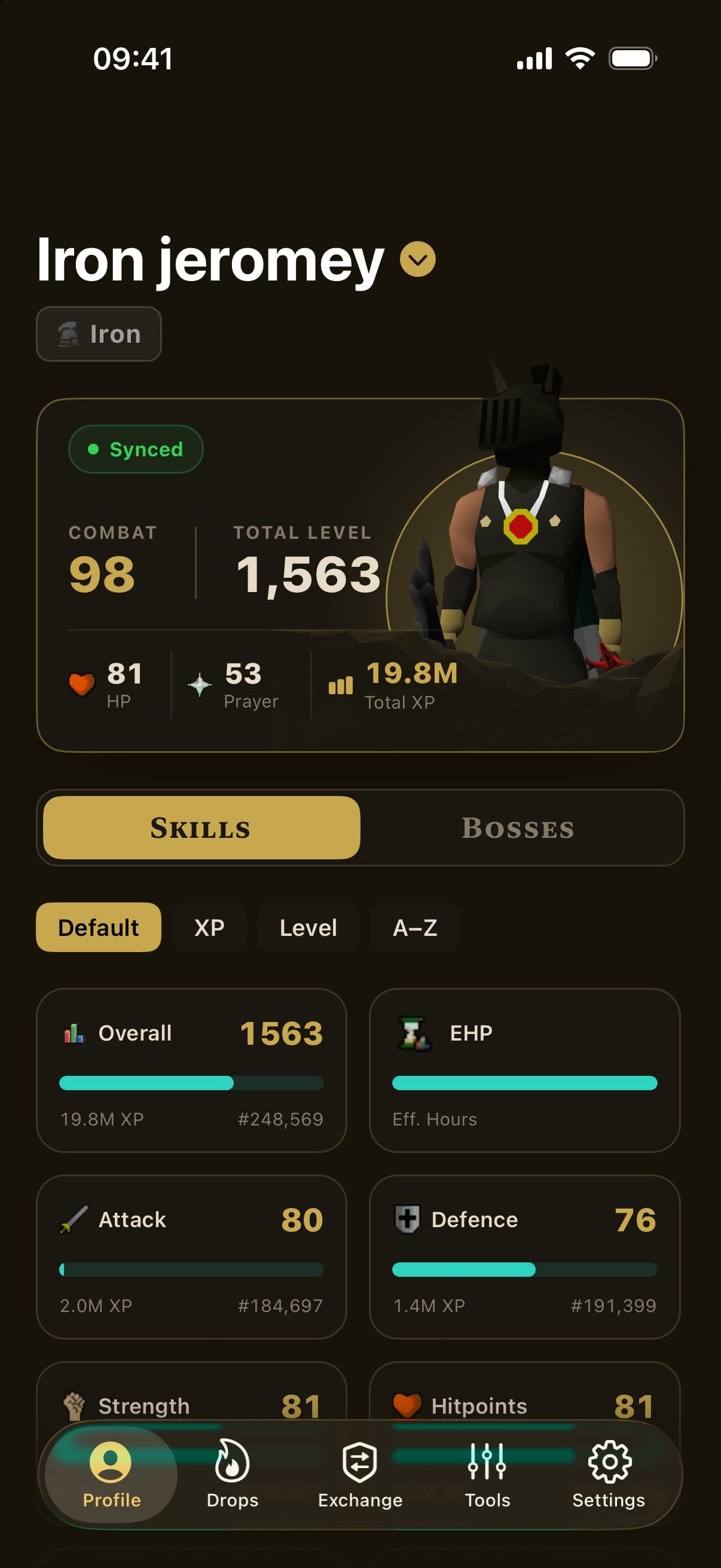
RuneLite runs on your computer. The RuneGlass plugin sends your progress to your phone as you play, so your skills, XP, drops, quests, bank, achievement diaries and farming timers are always with you.
- 4.8 out of 5 (118 App Store ratings) (opens in a new tab)
- 6,000+ downloads
What syncs
One setting, Enable RuneGlass sync, covers everything and lists exactly what it shares. You choose when it’s on.
Skills and XP
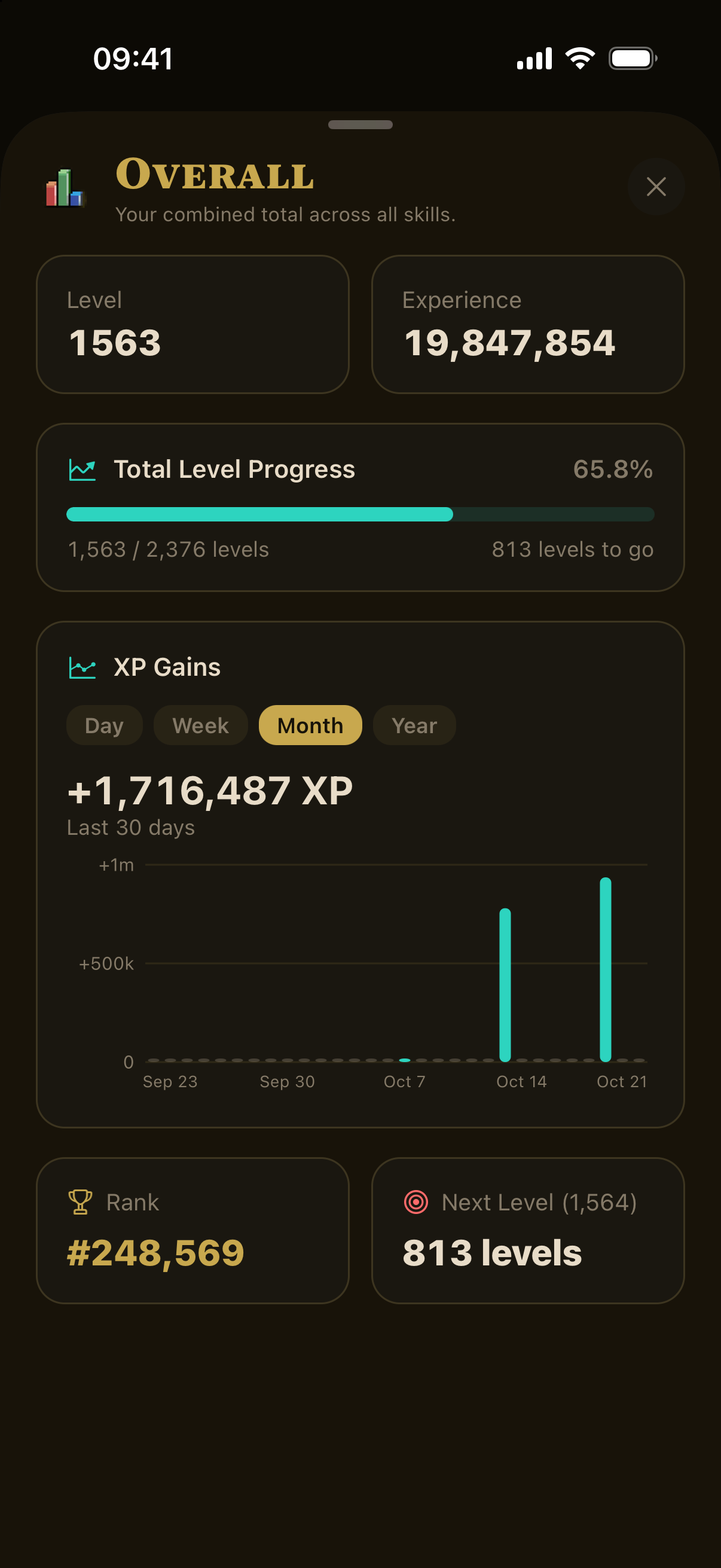
Levels and XP update as you train, and your gains build up by day, week, month and year.
Drops
Every drop with an item stack worth 50K or more, plus collection log items, with kill counts. Just keep Loot Tracker on.
Quests
Quests, miniquests and quest points, for planning unlocks like Prifddinas.
Farming and bird houses
Every patch and bird house you check, with its ready time worked out for you.
Your bank
The items in your bank, saved each time you open it in game, ready to browse, search and sort.
Achievement diaries
Every task you’ve completed across all 12 regions, with the unlocks each task needs.
Your character
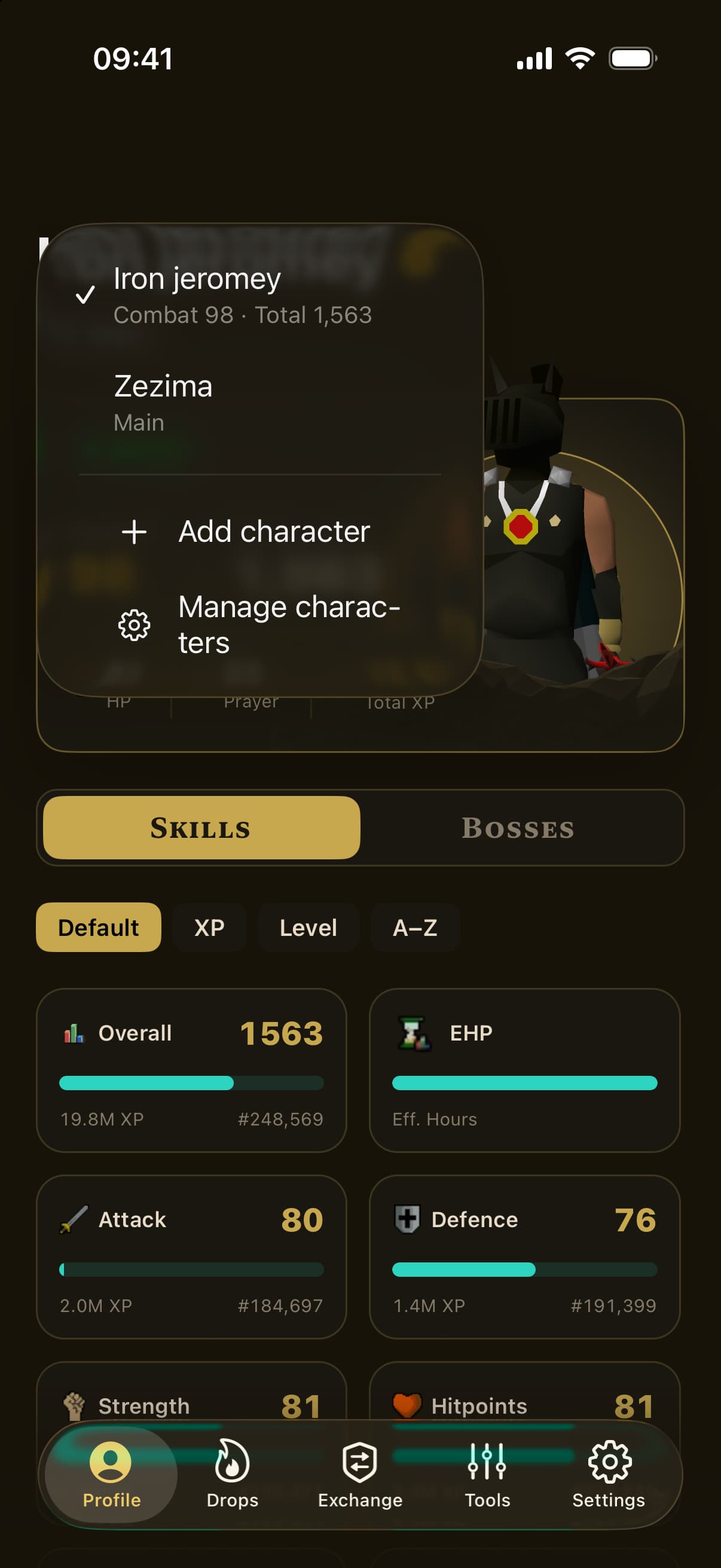
Your character name, account mode and appearance, plus plugin and game version details. Group Ironman characters show their own account mode.
Private by design
RuneGlass gets only what’s on this list. Your login, chats, location history, other players and screenshots stay with you.
Pair RuneLite with RuneGlass
Install the plugin
In RuneLite on your computer, open the Plugin Hub, search for RuneGlass and install it.
Open in Plugin Hub (opens in a new tab)Turn on sync
Turn on Enable RuneGlass sync in the plugin settings, log in to the game and choose Generate code in the RuneGlass side panel.
Enter the code
In RuneGlass, open Settings › RuneLite Sync, choose Pair RuneLite and enter the code within 15 minutes.
Always up to date
Skills sync within a few minutes of changing, and again when you log out. Drops, quests and timers sync soon after they change. Your diary progress syncs as you play, and your bank syncs each time you open it.
RuneGlass shows when each RuneLite client last synced, and the plugin has a Sync now button.
- Play on two computers? Pair up to two RuneLite clients per character.
- Link up to 20 characters, from your main to your ironman and alts.
Great on its own, even better with RuneLite
From the moment you sign in
Skills, boss kill counts and ranks from the Hiscores, GE prices and favourites, the DPS calculator, skill and minigame calculators, quest browsing, diaries you tick off yourself and timers you add yourself.
With RuneLite paired
All of that, plus XP gains, drops and drop luck, your bank, synced quest and diary progress, gear suggestions from your bank and farming timers that fill themselves in.
Everything at a glance
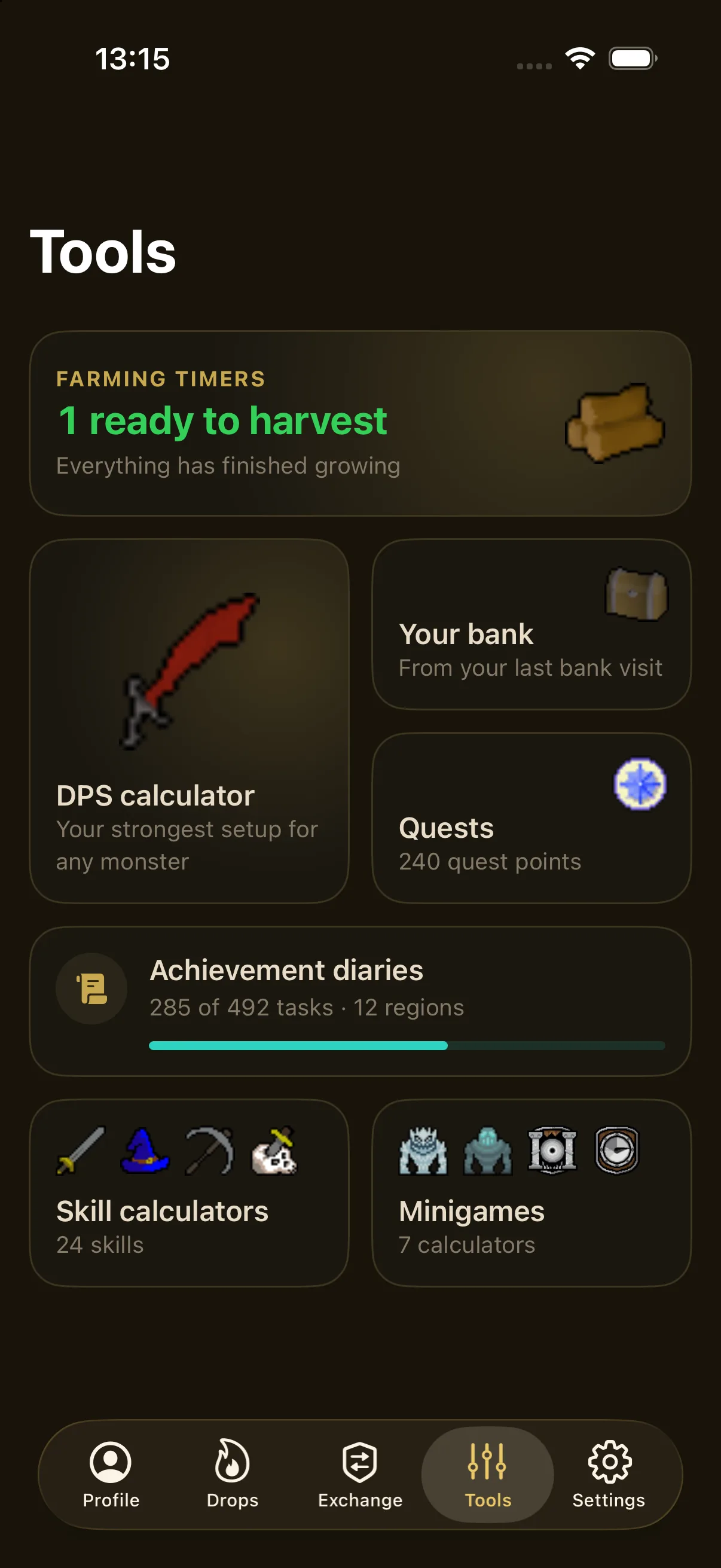
The Tools tab puts what RuneLite syncs on one screen: your next farming timer, your quest points and how far you are through the achievement diaries.
From there, your bank, the DPS calculator and the skill and minigame calculators are one tap away.
RuneLite sync questions
Can I use RuneLite on my iPhone?
RuneLite runs on your computer, and RuneGlass brings your RuneLite data to your iPhone. The RuneGlass plugin syncs your skills, XP, drops, quests, bank, achievement diaries and farming timers as you play.
Can I play on mobile too?
Yes. RuneGlass keeps everything RuneLite last synced, and the Hiscores and timers you add yourself work wherever you play.
Why does the Plugin Hub show a notice?
RuneLite shows it for plugins that connect to a service outside RuneLite. It lists exactly what RuneGlass receives, so you know what’s shared.
Can I control my data?
Yes. Turn off Enable RuneGlass sync at any time to pause uploads. In RuneGlass, Settings › RuneLite Sync lets you disconnect a client, export a character’s data or delete it.
Is my RuneScape account safe?
The RuneGlass plugin is on RuneLite’s Plugin Hub. It never sees your RuneScape login, never plays for you, and only syncs when you switch it on.
More in RuneGlass
Farming timers
Crop and bird house timers with ready alerts and widgets.
Drop tracker
Valuable drops saved as you play, with drop rates and luck.
Your bank
Browse, search and sort your bank from your phone.
Achievement diaries
All 12 regions and 492 tasks, synced from RuneLite or ticked off yourself.
DPS calculator
Pick a target, build a loadout or find your best gear from your bank.

Your whole account, in your pocket.
Download on the App Store (opens in a new tab)- 4.8 out of 5 (118 App Store ratings) (opens in a new tab)
- 6,000+ downloads
Get RuneGlass updates.
 Made by Jeroen Breevoort, a long-time OSRS player.